Block Level FTP File Sync
Normally, when a file is changed, whole file will be synchronized. Even if you just added a single byte. It's a total waste of time and bandwidth.
Block Level Sync only copies changed part, not whole file. It will improve sync performance significantly.
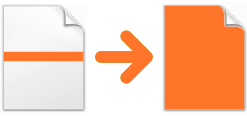
Normal Sync
When a file is changed, whole file will be synchronized even if source file changed a single byte. It's a total waste of time and bandwidth!

Block-Level Sync
Only changed part will be synchronized. You can imagine how much time and bandwidth you can save for 100 MB files, 1 GB files.
How can I know whether it actually works?
Except that you can feel sync process completes much faster, you can also see different info in log file:
12/29/2013 10:35:34 PM [Update Local File] [OK] d:\temp\arrow_xxx\AdobeAIRInstaller.exe (Block level transfer copied 138 KB of 17.2 MB)
We also did several tests so you can know how fast it can be:
- FTP Synchronizer and server is connected via Wifi, speed limits to 500KB/second
- Local and remote files are same, then we added a single byte at beginning of each local files
| File Size | Block-Level Sync Disabled | Block-Level Sync Enabled | Time saved |
|---|---|---|---|
| 10MB | 23 seconds | 3 seconds | 87% |
| 50MB | 115 seconds | 9 seconds | 92% |
| 100MB | 228 seconds | 21 seconds | 91% |
How can I use block level FTP sync?
There are two things you need to do:
- Make sure you installed the latest version of FTP Synchronizer. This feature is only available in v6 and newer.
- Replace your current FTP server software with our Rock FTP Server. RockFTP server is a full-featured FTP server software with block-level transfer supported. If you don't want to abandon your current server software, you can let Rock FTP Server listen on a different port so they can work together.
Notes:
- Block level sync only works when a file is larger than 10KB
- Rock FTP server is a standard FTP server, it also works with other FTP clients.
- Rock FTP Server is our product. You can get same level of technical support like FTP Synchronizer (online chat, email, remote support, etc.)